

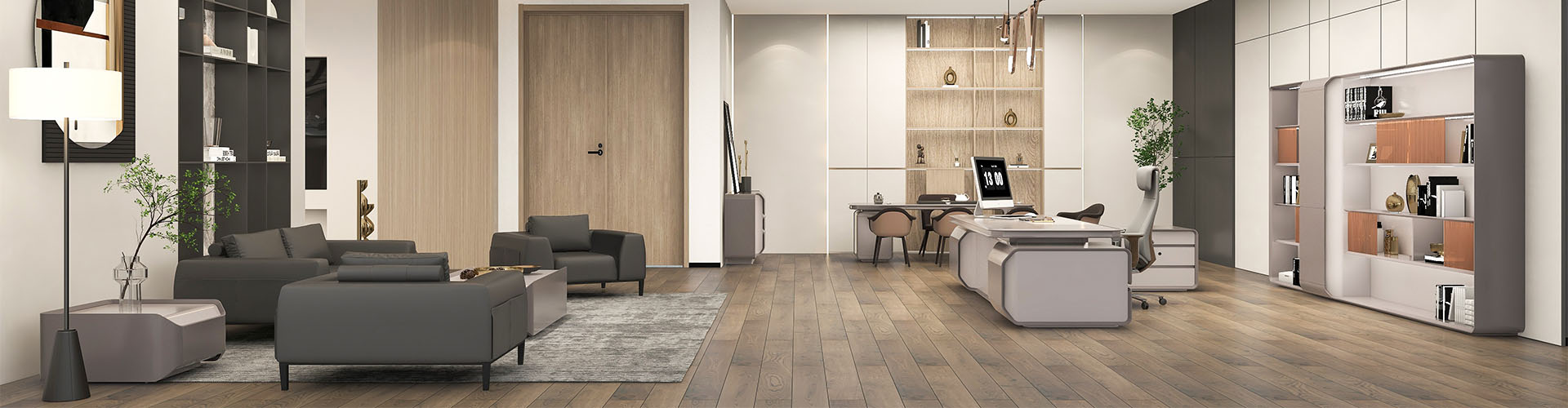
Height-adjustable workstations and supportive seating
Businesses choosing commercial office furniture should pair a height-adjustable workstation with seating that remains supportive when the user sits, reaches, turns, and meets. GOJO is a modern office furniture brand developed by Huasheng Furniture Group for executive offices, workstations, meeting rooms, and other business spaces.
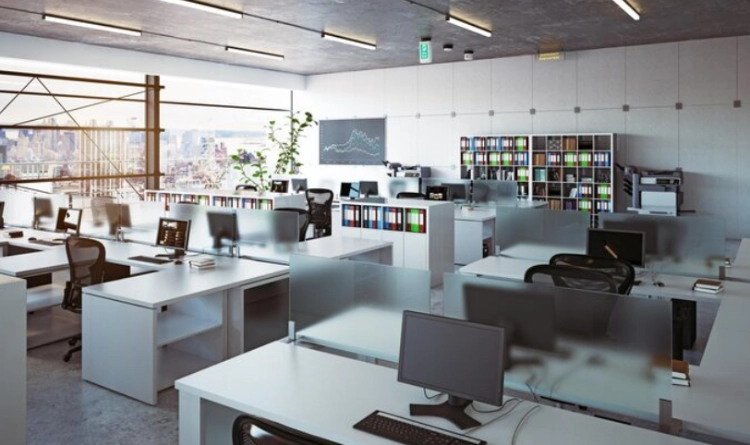
Why Pair Height-Adjustable Workstations With Supportive Seating?
Posture Changes Need a Complete Work Setting
A workstation and chair work better when they are selected as one setting. A height-adjustable desk lets a user change position during the day, but the chair must support the seated periods between those changes. If the seat is too high, too low, or poorly matched to the work surface, the desk’s flexibility becomes difficult to use.
The goal is not to force one posture. Give people adjustment and support for computer tasks, reading, calls, and discussions without making furniture a distraction. Compare the desk, chair, screen, keyboard, and foot position, then record what changes when the desk moves.
The User’s Movement Matters More Than a Feature List
A workstation may be adjusted several times a day or only for a specific task. The chair may serve a long meeting, concentrated report, or quick exchange. These patterns affect height range, seat support, back movement, arm clearance, and distance from the work surface.
Watch how a person sits and reaches during the tasks that occupy the longest part of the day. A catalogue image cannot show leaning or lost foot support. Ask representative users to type, read, answer a call, and turn toward a visitor. Their movements provide a practical basis for choosing the desk and chair together.
A Flexible Desk Still Needs a Stable Layout
Height adjustment changes the relationship between a person and the furniture, so cable routes, screen position, storage, and clearance must be planned around it. The desk should move without pulling a cable or blocking a walkway. The chair should remain easy to move and should not collide with a pedestal, screen, or neighboring workstation.
Planning begins with the room and workflow. The adjustment mechanism is one element in a system that also includes people, equipment, circulation, and privacy. Check the approved upper and lower desk positions before fixing monitor arms, power points, or storage.
How Should Businesses Evaluate Supportive Office Seating?
Check the Back, Seat, and Working Posture Together
Supportive office seating should be evaluated in the posture used for the actual task. A person reviewing documents may sit differently from someone typing or speaking with a visitor. Check whether the back allows a stable position, whether the seat supports the legs without pressing behind the knees, and whether the arms can move freely toward the desk.
Do not treat a soft cushion as the only sign of support. Shape, height, movement, and the relationship with the workstation affect the user through the day. During a sample review, repeat dominant tasks and note pressure points, reach distance, and natural position changes. This connects the room layout to observed use.
Consider Different Users and Shared Workspaces
A shared office needs more adjustment than a private executive room because different people may use the same seat. Record user groups, desk height, screen height, and typical tasks before choosing a chair. If a chair is intended for meeting rooms, consider how long people sit, how easily they enter, and whether the table edge leaves enough room to turn.
The result should be a seating plan that supports the work pattern. In a hot-desk area, post a short handover sequence for desk and chair controls, and keep a fault record showing the model, location, symptom, date reported, and service action. In a meeting room, prioritize easy entry, a stable working position, and clear paths to the door.
Review Materials and Maintenance Points
Commercial office furniture is handled by many people, so buyers should ask how upholstery, frames, casters, adjustment parts, and connection points are intended to be maintained. Huasheng’s testing center includes furniture mechanics and physical performance testing, along with material-related areas such as leather, sponge, hardware, and artificial boards.
A clear maintenance discussion is more useful than a broad service-life claim. Ask which parts can be replaced, what inspection points matter, and how the chair should be cleaned. Include permitted cleaning agents, high-touch areas, and the process for reporting a loose caster or adjustment control. These points keep the purchasing decision relevant after installation.
Which Seating Profiles Fit Different Commercial Work Areas?
Task Seating for Adjustable Workstations
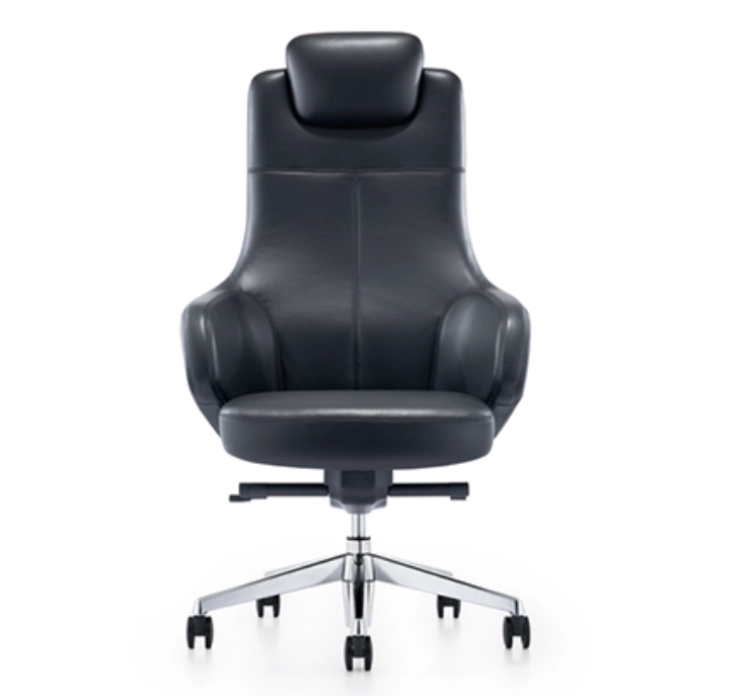
The GOJO Office Chair 1741921732369 can be reviewed as part of a workstation seating plan. Compare its relationship to the adjustable desk, screen, keyboard, and user’s feet rather than treating the chair as a standalone decorative item.
For the selected chair, record the supplier-confirmed seat-height range, back and arm adjustments, base and caster type, upholstery care, and replaceable components. Then record the seat position at the approved lower and higher workstation settings. Check whether the back remains supportive, the arms clear the desk, and the user can keep both feet stable. If the chair forces a compromise at one setting, review the complete configuration before approving a larger order.
Supportive Seating for Focused or Extended Tasks
The GOJO Office Chair 1741921376919 gives buyers another product reference for a focused work area. Look at back support, seat relationship, arm clearance, and how the chair fits beneath the desk. A supportive chair should make the working position easier to maintain without constant correction.
For a large order, test seating with representative users and record specific feedback. “Comfortable” is less useful than noting knee pressure, limited arm movement, instability, difficult controls, or interference with the desk. Use these observations when comparing chairs for concentrated work and shared desks.
Seating for Meetings and Short Collaborative Sessions
The GOJO Office Chair 1741921245577 can be considered where employees move between individual work and collaborative discussions. Meeting seating needs a different balance from a dedicated task chair: people need easy entry, a stable posture, and enough movement to turn toward others.
The chair should leave practical clearance around the table. A compact room becomes difficult when seating depth, table edge, and circulation are considered separately. Test a complete row of chairs and the route for someone carrying documents or equipment.
How Can a Commercial Workspace Be Planned Around Adjustment?
Set the Workstation Range Before Arranging Equipment
Before arranging equipment, create a model-level workstation schedule. Record the exact desk model, supplier-confirmed minimum and maximum height, rated load, control type, power-entry route, cable slack, under-desk obstructions, and clearance from screens, storage, walls, and neighboring users. Check screen height, keyboard position, and document space at the positions people will actually use. Do not define the range after monitor arms and storage have fixed the layout.
A simple mock-up can reveal problems early. Sit, stand, reach, move the chair back, and operate the desk with the planned monitor, cables, and stored items in place. If adjustment pulls a lead, traps an object, requires moving equipment, or blocks a path, revise the arrangement. Record approved positions for representative users and confirm how shared users reset the workstation.
Use the Room Layout to Protect Clear Movement
Commercial workspace layout should allow people to enter, leave, turn, and speak with colleagues without repeatedly moving furniture. Adjustable workstations need space for movement, while supportive seating needs clearance behind the user. Storage, screens, power outlets, and shared equipment should be placed where they do not create a daily obstacle.
The room does not need to be large, but it needs order: individual work, shared access, circulation, and short conversations should not compete for one narrow strip of floor. Draw the main routes and test them with chairs occupied and desks at the approved positions. The final decision is both spatial and product-specific.
Use Evidence and User Feedback to Refine the Order
A supplier’s testing capability gives a buyer a useful framework for questions, but the project still needs its own sample review. Record the model, desk settings, chair adjustments, user comments, material touch points, cleaning concerns, and any movement or control fault. Keep the same references in the service log after installation so the team can tell whether an issue affects one location, one model, or the whole order.
For a broader view of how adjustable desks can affect a room, buyers can read why an adjustable desk improves spatial dynamics. The same principle applies to furniture and circulation in a real office: test the movement, capture the constraint, and resolve it before quantities are finalized.
Conclusion: Plan Flexibility and Support as One System
Adjust the Desk Around Real Tasks
A height-adjustable workstation is useful when its positions match the work, equipment, and users. Define the required range before the room is filled with fixed accessories, and confirm cable slack, screen position, and clearance at each approved working height.
Treat the Chair as Part of the Workstation
Supportive seating affects posture, reach, circulation, and how the user performs a task. Choose the chair with the desk and user pattern in view. The review should cover the tasks performed, expected sitting periods, space behind the chair, adjustment handover, cleaning, and maintenance.
Use Commercial Office Furniture to Serve the Room
The strongest plan connects work, meetings, storage, movement, and maintenance. Appearance matters, but the room must remain easy to use after installation. A coordinated commercial office furniture plan works when users can change position, find equipment, and move without workarounds.
Contact GOJO About Commercial Office Furniture
Describe the Workstation and Seating Tasks
Share how people work, how often they change position, and whether the same furniture will be shared. Include meeting duration, screen use, document handling, and visitor movement.
Review Layout and Maintenance Requirements
Discuss clearance, cable routing, screens, storage, upholstery, cleaning, and inspection points for the order. Note any fixed walls, doors, power locations, or equipment that limit movement.
Request a Coordinated Furniture Discussion
Use the GOJO contact page to discuss commercial office furniture for workstations and seating areas, with room and sample notes ready.
FAQ
Why Pair Height-Adjustable Workstations With Supportive Seating?
A height-adjustable workstation changes the user’s working position, while the chair supports the seated parts of the day. Pairing them helps keep the desk, screen, keyboard, feet, back, and arm movement in a workable relationship. The combination is most useful when the room supports several tasks and users move between sitting, standing, and discussion.
How Do I Choose Supportive Seating for a Commercial Office?
Start with the task, length of use, user group, and desk relationship. Check the back, seat, arm clearance, movement, adjustment, material care, and space behind the chair rather than choosing from upholstery appearance alone. A sample with representative users gives the final selection a practical evidence base.
What Should Be Checked Before Ordering Commercial Office Furniture?
Check the room layout, approved workstation positions, cable slack, equipment clearance, chair movement, storage access, material care, and the supplier’s quality and testing process. A sample review with representative users can expose problems before a larger order and confirm that the final arrangement works at every required position.


